Showing posts with label Louie Mantia. Show all posts

Saturday, June 21, 2008

WWDC 2008

If I had to summarize this year's WWDC in one word, it would be "Awesome". A year ago, we went to WWDC with no clear goals. We attended a lot of sessions, and met a few people. Overall, it was a good experience, in which we gained a lot of technical knowledge.

This year, it was different. Our primary goal was not to spend all of our time in sessions. We wanted to make our visit business oriented, meeting people, and getting feedback about different aspects of our applications.


After 2 years of working with him, we finally met Louie Mantia, our graphic designer. Currently, he works mostly for our friends at Tapulous, but, fortunately, he still does some work for LateNiteSoft.

DSC01642.JPG


We also met Chuck Soper, Cabel Sasser, Daniel Jalkut, Mike Lee, Kenichi Yoshida, Steve Scott, Tristan O'Tierney, Colin Wheeler, Kevin Hoctor, and some others in the SF Mac Indie Soiree.

During the week, we met with many Apple employees, as well as other entrepreneurs, developers, designers and journalists. We participated in a few labs and different consultancy sessions. We were present at the parties and events, but overall we probably did not make it to more than 5-6 sessions each.

The overall result has been very good, and we are very satisfied. Within the next few weeks we hope to start showing you the outcome of our visit.

Tuesday, April 15, 2008

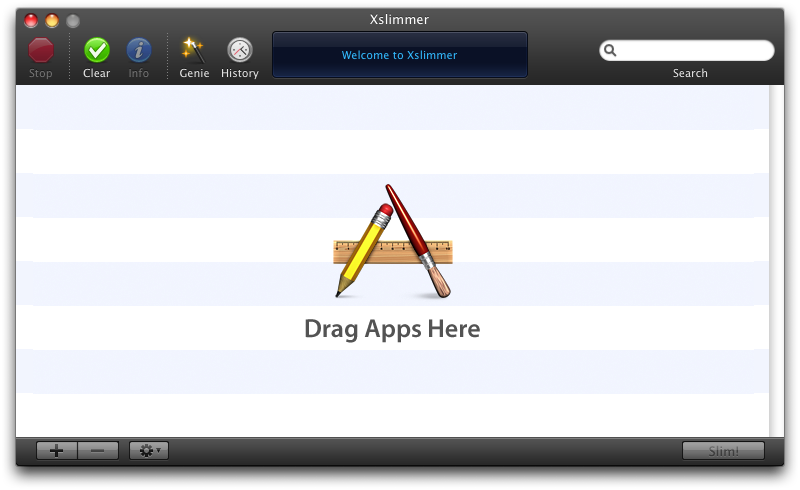
Dark Xslimmer's Toolbar

A few days back, I watched Cabel Sasser's C4 presentation. I thought it was a very nice presentation, with some insightful bits that can only be produced out of experience. I particularly enjoyed the part where he explains why they had to create their own toolbar. We had to do the same.

During the summer of 2007, Louie Mantia challenged us to produce a black themed version of Xslimmer. As Leopard approached, we were thinking that providing Xslimmer with face lift was a good idea. So, making Xslimmer black would made it look nicely different. At that time, it did sound as something simple: just make the grey areas of the window become black, and the black ink become white. Easy.

I started developing the window part. Fortunately, some people had walked that path before me. Making the window black was relatively easy. Using a background image for the window title + toolbar area was the only tricky part, as, in the beginning, it was not correctly rendered. The top half of the image was drawn in the bottom half of the toolbar, and viceversa. Fortunately, I discovered that setting something called "the pattern phase", within the graphics context, cured the wound. The black window was done.

Next step was to make the toolbar font white. I checked the documentation. Nothing. Checked Cocoa development sites. Nothing. Checked everywhere I could think off. Nothing. Asked other developers. Nada. How could it be? Similarly to the guys in Panic, who were fighting to get access the 3 bottom pixels of NSToolbar, we just wanted to draw white text with a bit of grey shadow, and make the black dotted lines, white dotted lines. That was all. I tried every hack possible, subclasses, all sort of undocumented stuff to try to get access to the text rendering part, so I could invert the colors. Nothing.

My first thought was: "I will just build the toolbar using Interface Builder". Then, I started to design how it would work and operate. I soon realized that it was not going to be an easy task. Not only would I had all sort of issues placing the different pieces of the toolbars, but also controlling them during run time. In addition, Xslimmer already used toolbars in 4 different places, so the code to manage them was already there and would need major rework.

I decided it was time to create our own toolbar management system, a system that would operate in the same fashion as Apple's, but that would provide the needed flexibility. This would allow us to not change the existing toolbar management code, and, at the same time, make the text color any color we wanted. It took a while, but it was fun, and the results paid up:

Xslimmer Dark.png


It was time to get other people's opinion. So, during our beta testing phase, we had a poll. Most of our users did not fully like the dark theme. We held several internal discussions and finally went back to a more "Leopard-like" look, the one that Xslimmer uses today. Given the fact that code for toolbar management was unchanged, rolling back was trivial.

So, at the end, we never used the newly developed toolbar system. At that time, Chris Messina suggested that there might be some interest out there in continuing its development, that we should open source it. To make the toolbar system open source would imply some work: I would have to extract the toolbar and window code, produce a sample application, etc. So, prior to making the effort, I was wondering: Would anyone be really interested?

Tuesday, August 14, 2007

LateNiteSoft Recent Activity or, Xslimmer 1.3 is coming soon

It is been a while since the last Xslimmer release. You might be wondering if we are still working on it or not. We are.

You might not have noticed it, but during the last 9 months we have made 35 blacklist releases. With each release, we introduce one or more applications into the blacklist. This is a time consuming process, as we try to test each application blacklist request prior to committing it. Blacklists releases are normally silent, unless a user selects to manually update. Recently, we received a request to add release notes to the blacklist releases. We are considering adding this feature, but would like to do so without disturbing the user too much.

We have been fixing our issues with the email server. Some servers still consider our emails as spam, and having license files as attachments does not help. We did resolve the DNS issues. We need to work on the attachments. That is why we are now remodeling the way the license server works, so we can provide the license files as downloadable links. This will make it easier for everybody and should cause less anti-spam related problems.

We are also actively working in Xslimmer. We are working both on release 1.2.5, which shall introduce some bug-fixes and some functionality changes based on user's requests. In addition, we are working on version 1.3. For this version, we are introducing changes in the UI and some additional functionalities. Moving from a designer's mock-up to a fully functional application is always complex, and requires a lot of attention to detail, but we are getting there. We are expecting to start a small beta test in around 10 days.

I hope this gives you a feeling of what we are up to, but if you have doubts or suggestions, feel free to ask.

Sunday, December 17, 2006

Making History

Making Xslimmer's history functionality took a little bit more than what was initially scheduled. The basic reason was that new ideas kept coming while we were designing its window. From these new ideas, we implemented the possibility to restore a backed up application and the possibility to report issues with applications slimmed.

Additionally, we took a while to design the window. In its initial conception, the history window had only text, and too much information. Little by little we transformed it into something like this:


While this image was pretty close to the final version of the window, there were still many little details to take care of. First, the color buttons. These did not look completely right to the eye. In addition, they did not behave too well while one of the apps was selected. Second, the sorting buttons in the segmented button were not showing correctly. Third, I had made it so that when an application was restoring, its restore button would show a spin progress indicator, so the window did not really need one. Finally, the window was in need of some gradient.

As a result, we kept working, and the window was almost ready a few days later:


Still solving the segmented buttons bug in Cocoa was going to take quite some code. Louie commented: "I know how to solve that bug: get rid of the buttons, and make the table headers the sort buttons". That is what finally went into 1.1.4:


So, tell us what you think!

Sunday, October 15, 2006

We are getting there!


This is how the initial version of Xslimmer used to look. We thought we were almost done. Every aspect of functionality we wanted to add for v1.0 was there. Then we met Louie Mantia. He redesigned the interface, and a month later, we are still working to get it right. We have changed the look significantly, hoping users will like it better. Soon you will be able to judge for yourself.