Showing posts with label Draw. Show all posts

Thursday, July 10, 2008

Sketches Available on the App Store!

We are extremely excited to announce that Sketches is now available on the App Store, and is highlighted in several countries:


We want to thank everyone who has supported us in this process: Apple, our users, our friends, and particularly, our families.

Sketches Web site is now back. Any comments or suggestions can be posted through the contact form.

Friday, February 29, 2008

Colors in Sketches

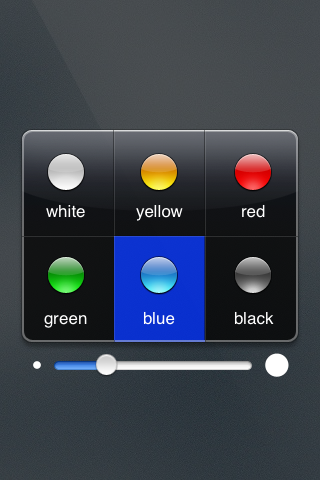
We knew it had to come. With only 6 colors in Sketches 0.5 and older, we had several requests to add more. Some were really specific, "please add brown", some were more generic, "a few more colors would be nice". With our passion to do things as simple as possible for our users, this was no easy task. The current color picker was easy to understand and nice:


currentCP.png


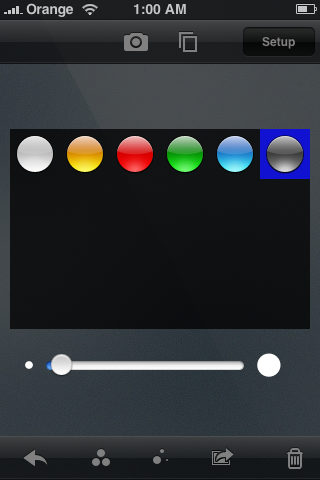
We looked at a good number of existing color pickers in different systems. From Hue, Saturation and Lighting circles to the Mac crayons, all had advantages and disadvantages. The HSL circles provide a great range of colors, but it is hard to select the same color twice, plus, not all people understand it well. Other pickers were not too suited for the iPhone/iPod touch interface.

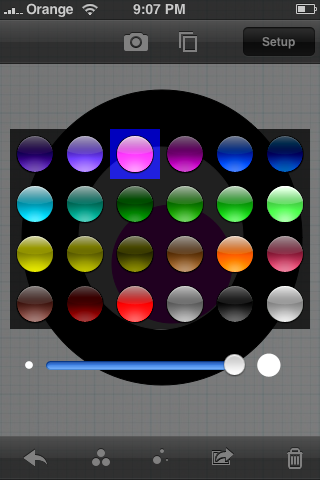
We finally decided to evolve our current color picker, adding more colors, for a total of 24, getting rid of the text and giving it a different aspect:


buttons2.pngcolors.png


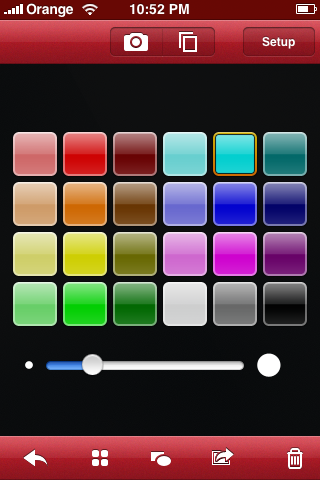
After several tries, this was the final result:


colorPicker.png


We hope you like it!

Sunday, September 30, 2007

Sketches, iPhone Drawing Fun

Edit: Sketches is available in the App Store since July 10th, 2008, as described in this newer blog post.

After a temporary shift of priorities, we have developed and released a beta version of our second app. But in this occasion, even though it runs under Mac OS, it is not a Mac application. It is an application for the iPhone.

Sketches, as the application is called, allows you to draw on the screen, select a picture from the photo album or shoot a photo to draw on top of it. It also has the ability to select pencils and colors, a library of stationery to use for your background, saving your work to the photo library (so that you can synchronize back to your computer), send to mail and undo. You can even erase your drawing by shaking your iPhone, as if it were an etch-a-sketch (see David Pogue demonstrating it).


Users have given Sketches rave reviews:

- "I'd like to congratulate you on creating this fine app. It is really useful and fun."

- "Everyone I show it to immediately turns into a little kid and enjoys the hell out of it."

- "Sketches .3 beta is awesome. It's definitely among the best 3rd party iPhone applications."
We really hope that Apple, one day, decides to open the iPhone platform to third party apps, Then, Sketches could be used by all iPhone users. And we, developers, could get all the right tools and documentation we need, so to make the iPhone an even greater device.

--