Thursday, March 01, 2012

Sandboxing? No, thanks!

Mac app sandboxing was to become mandatory back in November last year. According to Apple this is a piece of technology destined to protect app users: "Sandboxing your app is a great way to protect systems and users by limiting the resources apps can access and making it more difficult for malicious software to compromise users' systems.".


From my point of view, sandboxing in the Mac is wrong. Sandboxing is going to affect both application developers and users if Apple ever makes it mandatory for Mac App Store applications. It is already making developers simplify their software, making it less attractive and useful to users, frustrating both.

Mac App Store rules have already prevented many good apps, particularly utilities, from being sold through it. This is likely the case of apps like Hazel, Carbon Copy Cloner, AppZapper or iStat menus, and certainly the case for our own Xslimmer and Clusters, among many others. To cope with the rules, some developers have created partially crippled versions of their apps in order to comply with these rules. Some have even adapted their product to those rules, even if it meant reducing its functionality.

Sandboxing restricts apps even more. Applications cannot directly access files, networks or devices outside their own sandbox. While this might help in preventing malicious software from accessing the user's data, it also forbids many good apps from doing what they are designed to, and prevents them from interacting with each other like they currently do. For example, in Snapshot, our photo printing app, we use Karelia's iMedia framework. This library allows Snapshot users to access pictures from apps like iPhoto, Aperture or Lightroom. To do so, iMedia reads the preference files of these apps and determines the location of their photo libraries. Reading other apps preferences or accessing their content is no longer possible using a sandboxed app. Should we have the user search for the pictures through the file system instead of offering them directly like we do now?

Apple is trying to make the Mac sandboxing work. They are implementing new entitlements, APIs and even exceptions to make it a little bit more convenient for developers to adopt the technology. However, except for keeping access to the MAS, developers do not gain anything by doing so. What's more, adapting existing apps to the sandbox is far from easy, and, in many cases, it is impossible to offer their complete current functionality. In addition, it makes the application submission process more complicated, as entitlements and exceptions have to be justified. Apple explains: "If your app requires access to sandboxed system resources you will need to include justification for using those entitlements as part of the submission to the Mac App Store. Apps that are being re-engineered to be sandbox compatible may request additional temporary entitlements. These entitlements are granted on a short-term basis and will be phased out over time."

With the announcement of Mountain Lion, we have been surprised with a new technology called Gatekeeper. This is a different, newer technology to prevent downloading and installing malicious software. It allows the user to select the level of safety they want: run all apps, run MAS apps or run MAS apps and those signed with a developer ID issued by Apple. Users can even temporarily override secure settings by Control-clicking, and use any app at any time. So, the user is in control and developers do not have to make any major changes to their apps.

So far, Apple has had to delay the MAS mandatory sandboxing deadline twice, and the last time, it has even relaxed some of the rules. I hope that when June comes Apple kills the sandbox completely, and when it does, it does so in favor of Mountain Lion's Gatekeeper. For well-behaved developers, it would mean to keep working as before. For users, it would mean to keep enjoying fully functioning, well integrated apps, and yes, this time, in a more secure fashion.

--
Other articles on the same topic:

The App Culture

OS X Lion Sandboxing Is A Killjoy Destined To Ruin Our Mac Experience

Mac App Store Sandboxing Requirement Pushed to March as Uncertainty Looms

Real Security in Mac OS X Requires Apple-Signed Certificates

Sandboxing and Clipstart

Between a rock and a hard place – our decision to abandon the Mac App Store

Why the Mac App Sandbox makes me sad

Sandboxing

Think sandboxing will stop malware? Here's why you're wrong, Apple

Mac OS X 10.7 Lion: the Ars Technica review

Developers React to OS X Mountain Lion

Friday, December 10, 2010

Announcing Lab for iOS

It is been a while since I last posted here. I am happy to do so to announce our newest product, Lab. Lab is an app that I wanted. I found myself often wondering when and where this or that picture on my iPhone was taken. So, now, using Lab, you can get detailed information about the picture in your iOS device's photo library. That way, you don't need to transfer your photos to a computer to find out details about your own photo library. Sporting a gorgeous design, Lab is the perfect complement to your iOS device's photo album. Using Lab you can:

  • Find out the resolution and size of your photos.

  • Let Lab remind you when and where a picture was shot. The location, when available, will be displayed for you in a map.

  • Examine advanced info including histogram, exposure and shooting details, right in your device.


screenshot-lab.jpg


Lab 1.0 is available now for iOS 4 in the App Store. If you like to take photos, give it a try for just $0.99. We hope you like it.

Saturday, April 24, 2010

iPad: 7 Things to Love, 7 Things to Improve

To Love


Size. If there is something I like is to be able to use the iPad practically anywhere. I am writing this on a plane where it would be hard to fit a laptop, given their "fit as much people on an aircraft as possible" policies. The iPad fits nicely and allows me to get the job done. It is very portable and you do not even need to take it out on security controls.

Screen. Colors are vivid, resolution is nice and the overall usage of the screen is a joy. At 768x1024 pixels games look great, but almost all other applications can benefit from the screen too. Sketches 2 has even more potential here than on the iPhone given the screen real estate.

Sound. Due to its thin size, I was not expecting to get good quality sound. I am glad I was wrong. For my ears, the speaker on the iPad is practically of the same quality of those on my 2007 Macbook Pro.

No heat, no noise. On most laptops, and computers in general, CPU or graphic intensive applications cause the temperature to raise. In the case of laptops on your lap, it can get uncomfortable. But it is not only that, raising temperatures imply heat dissipation mechanisms, which are normally noisy. Not with the iPad. Even while playing games, the iPad is cool and quiet.

Battery life. You can play games, watch videos, listen to music, browse the Internet or whatever you like to do. The battery will last for at least 6-7 hours. In my experience, it can even surpass the 10 hours of the Apple specifications. Amazing.

Instant on. Casual use feature never one. No waiting for your computer to boot up. Want to google something? Grab the iPad fire Safari and surf away. Look up an article on Wikipedia? Play a game? Same thing.

Safari. If there is a killer app that comes already installed in this device, I would say that is Safari. Browsing the Internet with this is a joy. It was not long ago that many Internet sites read "this site looks great at 1024x768". Here you have it in the palm of your hands.


To Improve


Memory. The iPad has 256Mb of RAM, the same as the iPhone 3GS. I find this the weakest point of the iPad. Checking the crash logs, running out of memory is the primary cause for most of them. Having much higher resolution than the iPhone, this is not strange. I would have guessed that Apple had placed at least 512. Maybe on the next version.

Weight. Obviously, at 1.5 pounds (680 grams), it is much lighter than a laptop. However this machine is supposed to be easily held with your hands. Reading a book or playing a game can easily get tiring given the heaviness of the device.

Battery charging. If you connect your iPad to your computer it will take a while to get it charged. In my tests 5 hours did not get me a full charge. Fortunately, the charger included with the iPad, even with the same size and aspect of those of iPhone and iPod, is more powerful, so it is able to speed the charging process. Still long.

No protection included. With such a big screen, the iPad can easily get harmed if unprotected while traveling or if handled carelessly. A simple cover to protect the screen would have sufficed to keeping the screen safe in most situations.

Screen becomes dirty. Oleophobic or not, the screen easily gets full of fingerprints. This is not much of a problem while working with the device, but does not look good when the screen is off.

iPhone Apps. I am glad that I can run iPhone apps on my iPad, don't get me wrong, but they do not look good. At 1x apps look too small, at 2x they look pixelated. I believe we could see a better 2x mode in the future.

Mail app. While email look good, navigating between accounts takes several steps. In addition, there is no mail list while reading your mail in portrait until you hit the email list. Then, there comes a popover, you select a new message, the popover goes, and you have to repeat this process again. Personally, I want to be able to switch messages and accounts quickly independently of the device orientation.

Conclusion


Overall the iPad is an amazing machine, more taking into account that this is version 1.0. These are just some of the small things I would like for Apple to improve. However, I must say that I am very happy with it both as a user and as a developer.

Written on an iPad, using Pages.

Saturday, January 30, 2010

Sketches 1 and 2: Two Products in the App Store

As some of you might already know Sketches 2 is available on the App Store. Also, the original Sketches is still available as a different product.

When Sketches was created, it was a simple drawing application. It had no menus, no color or line width selection, or anything else. You were able to draw using a red line of fixed width. When the application was closed, it stored the document. When the device was shaked, the drawing was erased. With each new update, thousands of downloads occurred, a clear indication that there was interest for such a product.

In version 0.3 of this jailbroken world, we added several options to choose color and make some simple geometric shapes using the multitouch capabilities of the iPhone. This version was a big push, and made Sketches even more popular.

When Apple announced the SDK, along with the App Store, Pedro and myself seriously considered the idea of making this our way life. For several months we worked in making Sketches a more complete product, while converting it to the official SDK.

On July 10th 2008, Sketches was among the initial group of apps to make it into the store. It was also featured on Ars Technica and promoted by Apple in the European Union. For us, it was a big success. We made $150,000 during the first three weeks of sales.

During the next months we worked on adding the features we had originally designed for version one, while resolving any bugs that appeared. We added text shape creation, tooltips, additional stamps, web sharing, improved image flattening, fixed memory issues, fixed map rendering issues on certain locations, improved mail sending of drawings, added ink opacity options, added corkboard rearrangement, improved zoom, improved saving performance, etc.

At the same time, we received many different requests to make Sketches a more professional product, featuring an advanced color picker, transparency, brushes, more zoom and so on. As we designed these features, we realized that the existing UI was not able to hold them. In addition, we would need to change the way things are done to fit this new functionality (for example, a progressive zoom that worked like in the photo album would need the shape placing mechanism to be changed). Finally, we were taking little advantage of the new 3.0 SDK functionalities. It was time to move onto version 2.

When we designed Sketches 2, we decided to make it 3.0+ only, and to change the menu system, looking to achieve 2 things:

  • 1. Be able to work while having the menus open, so you could change the ink color or other options without having to reopen the menu every time.

  • 2. Keep the original simplicity, while adding the advanced options
    IMG_0001.1.PNG

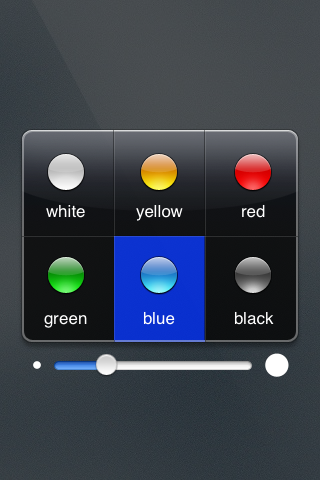
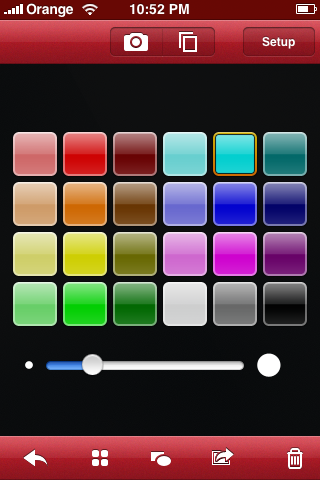
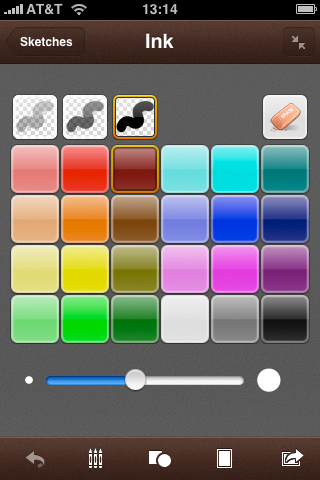
    Sketches1ColorPicker.pngSketches2ColorPicker.png


(example of Skeches UI evolution)

Once the product was almost ready, we saw that the changes were many, and made it a different product, with different usage. So, for the time being, Sketches 1 and 2 are going to be living together in the App Store. We probably could have called them something like "Sketches" and "Sketches Pro" or "Sketches Classic" and "Sketches Advanced", but we liked "Sketches" and "Sketches 2" better.

We did not want, however, to forget those users who welcome change and are looking for the new Sketches 2 features. So, for a few more hours, we are still promoting Sketches 2. The promotional price is just $1.99. Take advantage of it!

For us, it is time to get Sketches 2 onto the iPad!

Thursday, January 14, 2010

LateNiteSoft Contribution to Haiti Relief

Unfortunately, it seems that only through big tragedies we are able to gain perspective on our lifes, and are reminded how extremely lucky we are that our families are healthy and safe.

As we were talking about this during lunch, our twitter stream showed a couple of great help initiatives from the Mac and iPhone communities. The guys at OmniGroup are donating more than $45,000; Mike Piatek-Jimenez will donate all proceeds from Seasonality for the rest of the month; Daniel Jalkut and others are calling for action on an initiative being put together by Justin Williams. We decided to adhere to Justin's idea, but we thought we'd also like to do something by ourselves.

Although we are not able to provide such a substantial up-front help as OmniGroup's, we thought we could just keep half of our income from the sales of Sketches (versions 1 and 2) during one week, and donate the other half to a non-profit aid organization. If you like our products and would like to help us on this, please consider buying Sketches or Sketches 2 now.

On a personal note - since we created LateNiteSoft, I have frequently considered how lucky I am to enjoy the best job I could ever dream of. However, I also get anxious or sad about work issues or personal situations, and those feelings sometimes obscure the rest. I will try to approach the future with a better scale, to be permanently aware -and not just during a crisis- of how mundane and small my problems really are. I hope this resolution, my only one for 2010, will make life a bit easier for those around me.

Update: We finally donated $1510 to Save the Children. Thanks very much everyone for helping us with this!

Wednesday, August 26, 2009

Xslimmer 1.7 now available, fully compatible with Snow Leopard

Xslimmer 1.7 has just been released! It supports 64-bit binaries, honors code signing rules, is able to handle and create native HFS-compressed files and adds many other improvements that will continue to provide a worthwhile and reliable experience to Snow Leopard users (as well as to all others that choose not to upgrade to the latest OS yet). Read on for the gory details!

Universal Binaries are so 2008, aren't they?


Well, unfortunately they are not. Or, should we say, fortunately they are not. Universal Binaries were a key technology that allowed Apple to transition from PowerPC to Intel CPUs in the most awesomely flawless technology adoption ever. The same Universal (or, as they are affectionately called, "fat") Binaries are being put to work again to ensure that Snow Leopard and its apps run flawlessly in all compatible Intel machines, including 32-bit and 64-bit ones.

So instead of packaging binaries in a bundle that contains PowerPC and Intel versions of the code, it will now become usual for developers to provide the 32-bit and the 64-bit versions of the same code. The 64-bit version will be used in 64-bit computers, whereas the 32-bit code will run in CPUs that are not able to handle 64 bits. There is no magic way for the system to transform one into the other, so no matter what computer you have, chances are many of the apps you install will contain code that will be ignored and never will run.

But it gets more interesting! Snow Leopard is truly awesome, but there is no reason for developers not to support Leopard if they can. True, some apps will take advantage of Snow Leopard exclusive technologies such as Grand Central Dispatch, OpenCL or some other new APIs; however, many others won't need these innovations yet and will still support Leopard. But Leopard does run on PowerPC machines, so developers should include a PowerPC version of the code if they want to support the same hardware requirements as the OS. As a result, we are starting to see applications that include not two, but three architectures: Intel 32, Intel 64 and PowerPC. This is the case for some very popular apps such as Tweetie for Mac or the latest version of Apple's own Airport Utility.

Xslimmer was designed to handle these situations, and it has now been tested and optimized for the scenarios above so it will always keep the best version of the code that is available for your Mac. If you own a 64-bit-ready Mac, then Xslimmer will preserve the 64-bit version of your applications' code - when it's available.

Won't Xslimmer break 64-bit applications? What about code-signing?


As discussed above, Xslimmer carefully analyzes your applications and selects the best possible architecture among those available. This is done in a per-application basis, and not following some batch process that blindly keeps a single combination. Analysis includes evaluation of signed resources: code-signing rules are fully honored so that only binaries that can be safely modified will be processed.

Extreme care is applied when slimming, and the operation is performed in the most friendly way. Your slimmed applications are registered again for you in the internal OS databases - your keychain authorizations are preserved, and you don't even need to restart your Mac after slimming it.

But Apple applications are already compressed!


Snow Leopard achieves significant space savings by using transparent file system compression. In fact, all system applications and utilities are installed in a compressed state, although they are transparently uncompressed on the fly without the user ever noticing. Xslimmer 1.7 recognizes and supports this type of compression: if a compressed application is slimmed, then it will be recompressed automatically. Therefore, all system applications in Snow Leopard will still benefit from additional space savings if they are slimmed, without affecting their compression status.

When running on Snow Leopard, Xslimmer will always show you the actual size your applications take up in your disk, and not the uncompressed size as reported by Finder and other tools. This way you can be absolutely sure about the savings you achieve.

We have even taken this technology a step forward. A new option in Xslimmer 1.7 will allow you to compress slimmed binaries that were not originally compressed. This way, your installed third party apps can also benefit from this awesome new HFS+ compression technology in Snow Leopard.

Ok, I'm sold - I'll give it a try!


Wonderful! We've always worked hard to prove that your choice of Xslimmer is really the best option for your slimming needs. In Xslimmer 1.7 you'll find many features designed to slim your Mac easily and with total peace of mind. These include:
Strip out unneeded localizations - As usual, Xslimmer 1.7 will remove translations you don't need, achieving great space savings.

Visual indication of architectures - Another new feature in Xslimmer 1.7, you can now see what architectures an app contains and what the resulting architecture is: Intel 32, Intel 64, PowerPC 32 or PowerPC 64.

Downloadable blacklist - for those apps that check themselves (for anti-piracy reasons, usually) and refuse to start after they have been slimmed. We test every report from other users about malfunctioning apps.

Your personal exclusion list - for folders in your disk that you don't ever want to mess with, for whatever reason.

Integrated backups - designed to let you test your slimmed apps with the confidence that you'll be able to recover them in one click.

Extreme compatibility - Xslimmer 1.7 has been fully optimized for Snow Leopard, but it will still run in Panther, Tiger and Leopard.


So, no matter whether you are a longtime Xslimmer fan or have come across it recently, now is an excellent time to check the combined space savings that Snow Leopard and Xslimmer will bring. We hope you like Xslimmer 1.7!

Saturday, July 04, 2009

From Orange to Apple

Maybe the title should have been “From an Orange Executive to an Apple Indie Developer”, or simply put “Learnings After One Year as Indie”. Basically, I wanted to explain how I came to make one of the biggest changes in my life, what the motivations were, and some of the things I did learn throughout the process.


My background


So, at 39, I was a reasonably successful executive at Orange, the French telecommunications company owned by France Telecom. At that time, France Telecom had more than 200,000 employees, more than 3,000 of them in Spain. I was one of them, one of those called “Top 100”; a director in charge of Web operations, leading a group of nearly 50 people. I had a nice salary and nice benefits too.

I worked for Orange during 8 years. Prior to that, I had been working for other multinational companies, always related to technology, which was, and still is, my passion. That is also the reason why I majored in computer science. However, soon after I started working, it became clear that I could not make a living creating software, at least not the software that I wanted to make. Soon after that, I got a masters degree in business administration, and began a managerial career that some years later took me to Orange.

During my time at Orange, I started Cocoa development, a bit as a hobby. I had been developing applications, mostly games, since I was 14. Being new to the Mac, I wanted to see what Cocoa was about. At the same time, Pedro, who also worked for the same employer, had this idea about making a universal binary stripper. So he went ahead and made the first implementation of his idea as simple shell script. It worked just fine. We had been working together several years, and we knew each other quite well. When he showed it to me, I told him that I wanted to make it more “Mac-like”. I, then, created a user interface that showed the application list and an icon for the architecture. Finally, Pedro integrated the guts of his script into Cocoa. It was the birth of Xslimmer. To our surprise, Xslimmer's popularity began to grow, and with it, so did its sales.

Months later, around August 2007, we created Sketches. Those were the jailbreak days for us, as there was no official support from Apple for third party applications. Interest for it skyrocketed, and for every new update there were hundreds of thousands of downloads. Some months later, Apple announced the SDK and the App Store. It was clear that there was an opportunity.

The change and its motivations


So, my day job, family and other responsibilities were taking most of my time. I felt stressed, and drank a lot of coffee. I had a gut feeling that the time was coming to make a change. As opposed to what was clear to me in the early 90‘s, Xslimmer had taught me that it was possible to make a living on selling software that I had created. And the App Store was coming.

At that same time, Orange was starting to feel the pounding from the world's financial and economical crisis, and had bad forecasts for the future. As it had happened in several occasions before, and in preparation for the crisis, there was a management reshuffle. I was offered the IT Project Management Direction. The job was for sure interesting, but my head was somewhere else. I needed to pursue my dream of creating my own software company, one that would make software I wanted, and I knew that the time was then.

I left Orange, on July 4th, 2008. Exactly one week before the App Store went life.

The learnings


After one year there are a few things I have learned, that might deserve sharing:

App Store success is temporary. I compare it to the music industry. While you are on the top chart, you sell; once you are out, your sales level is much, much lower. In our case, Sketches did great for a couple of weeks, reaching Top 12 in the US for a while.

Apple listens, but it takes them a while to react. During the iPhone SDK beta testing, we wrote several bug reports - it sometimes took several weeks, but they were all answered to, and most fixed. Once the App Store was live, I wrote an article a while back that included several suggestions for improving the App Store. Most of the things that I wanted changed are now changed. For example, allowing only users of the application to voice an opinion and rating about it.

On marketing, experiment and follow your instinct. During this year we tried different things that did not work out. From joining other developers to create an “Apps Gems” site, to purchasing online advertisement. We were new to those types of actions. However, simpler, and cheaper, tactics did work out quite well. Twittering, blogging or simple press releases did much more than any expensive advertisement. I obviously need to learn more on this.

Get help for your paperwork. Administrative stuff and taxes is unavoidable. You just have to do it. We have a small accounting company that takes care of filling up the necessary forms and that keeps the accounting information for us, but most of the work, you still have to do. You have to process those PayPal reports, you have to process those iTunes Connect Financial reports, you have to scan all the invoices you receive, and so on. But having help from a third party places some routine to it, and ensures that you will meet the necessary deadlines.

It is not all fun, but automation helps. You cannot start new products all the time. You have to take care and nurture your existing products, so that your customers realize you actually take them seriously and are committed to making them better and better. Your customer base demands time too. Customer support takes a good chunk of your time. The more products and the more sales, the higher the number of customer support requests. I would say that around 2% of sales translate into customer support requests. Most are very simple, but some are not. The solution is to try to automate things as much as possible. From self service (recover your license) to email templates, all helps.

Working at home is harder than I thought it would be. This is not because of a lack of discipline, but, in my case, the environment is really noisy and busy during the day. I found myself trying to work while being interrupted. Being used to code at night, this was really hard for me. We ended up renting a small office, just a few days ago.

There are more things in life than just work. For a couple of months, I believed Pedro had lost interest in our little software start-up. One day he explained to me that he was ending his 15-year-old marriage. It took a while for him to reorient his life, and, as a result, we deviated from our scheduled workplan, and part of our initial inertia was lost. However, now I try to spend more quality time with my family, while keeping a more flexible philosophy about how to spend my time. For example, last week I took the afternoon off and spent it having fun with my family. What's more, I did not feel guilty or time pressured about it.

You can do all those things that you never could. Now there is no excuse. It is just a question of organizing yourself. In my case, I wanted to lose weight. That is hard to do when you spend a lot of time traveling around, eating sandwiches at meetings or while preparing presentations at 2AM. But once you are the owner of your time, it is. I lost 20Kg (44 pounds) from September to December last year.


The dream


So, now what? Well, when I think of what I want to accomplish in the future, I do not think of creating a huge company with many employees, controlling the world’s software market. My objective at this point in time is to create a company similar to Panic or the Omnigroup. These companies keep the indie spirit, while having some specialization and some size, so they produce quality products while providing a quality service, as their employees can dedicate most of the time to what they do best.

So, for LateNiteSoft 2.0, and if our numbers allow for it, my intention is to hire an enthusiast support/webmaster/marketing person, as the first non-founder employee. Then, where we go from there remains to be seen, but I am sure it is going to be both interesting and fun.

Monday, June 29, 2009

Apple iPhone: Light-Years Ahead

As shown in one of the banners at the Moscone West during WWDC 09: one year later, light-years ahead:

WWDC09.JPG


It could not be more true. Many things have changed during the last two years, and in the last year in particular.

I truly believe there is still no competitor for the iPhone. I have tested many different phones. I have owned, both Blackberry and Palm branded phones, and I have had several Nokia phones in the past. Being a mobile device fan, I have the tendency to ask people to show me their phones. I have seen many, and there is still no competition, not even in those new touch screen phones that keep popping up.

It is also my believe that the key to is not in the hardware, which is definitely good, but not unique. The key difference is in the software. Apple created a software base that is extremely responsive to user input, and that made it easy and intuitive. Then, with the SDK and the App Store, opened the door to rest of us.

P1000157.JPG


Many things have changed. From the initial 550 applications that were available on July 11th, 2008, the App Store has now surpassed the 50,000 mark. That is almost 100 times more applications, and still growing fast. Another change is the introduction of firmware 3.0. Technologies like MapKit or Core Data, are amazing. Finally, new hardware. Faster, with more memory and more powerful.

In my opinion, 2 years after the introduction of the iPhone, Apple clearly dominates the smartphone market and it is clear that its intention is to keep doing it. But what it is most impressive is, that Apple is listening to both customers and developers. Took a while, and there are still things Apple do not want to change, but they are doing it. Almost all my requests for new iPhone SDK APIs have been made available in firmware 3.0, and almost most of the common requested features are now there (like copy & paste). Even most of the changes I wanted on the App Store are there.

So, I want to take this opportunity to say: thanks, Apple! Thanks for the iPhone, for the SDK, for the App Store, for your updates, and most of all, for listening. Keep doing it, and you shall keep light-years ahead of the competition.

Tuesday, February 17, 2009

Reject-me-not!

While it's been a while since our last post, we have not been resting on our laurels. During this time, we have released new versions of both Xslimmer and Snapshot. We have also released Sketches 1.5, and prepared and uploaded Sketches 1.6 to the iTunes Connect portal. Version 1.6 of Sketches, however, has already been rejected twice. As it happened with the undo icon back in October-November 2008, reviewers have found previously undetected issues in our product.

The first of these rejections was due to the fact the reviewer was confused about two distinct features: image hosting, and Web sharing. We had updated our application description to reflect the fact that sharing your images via twitter or email causes them to be uploaded to a new web hosting service we have developed anew for Sketches, instead of the former third party service we had been using. It was also explained that the reason for this change was to ensure an excellent quality at all times: we are not interested in placing ads on Sketches' image hosting services; we can act promptly on the event of unexpected downtime; and we can grow the service in the future with new features - none of which was possible with the previous offering.

The Web Sharing feature, on the other hand, allows customers to start a tiny Web server running inside Sketches in your iPhone, then download your pictures in PNG, JPG or PDF from your computer.

After activating the Web Server screen (see screenshot below), the reviewer somehow kept waiting for the drawing to be uploaded to our server. This, of course, never happened, and thus our app was rejected.

Picture 1562.png


When the rejection mail came in, I uploaded the same binary again and wrote back to the reviewer:

"Thanks for your feedback. Uploading to our server is only done when exporting to email or twitter.

What you attached as screenshot, is the integrated web server. That is, Sketches has a Web server that allows you to access your drawings from a Mac or PC using a Web browser, in order to export them. To do so, you simply have to connect to the URL address shown in that screen. In your case, if you open Safari, enter "http://10.0.0.3:8080" [IP address changed from original value] in the URL field. You should get something similar to the screenshot I have attached. Then you can press on the file type you want to export, jpeg, png or pdf, under any of the drawings to obtain a local copy.

I hope this clarifies it. Let me know if you need any further explanation."


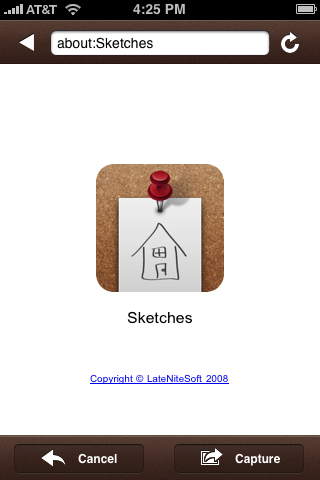
A week later, the second rejection email was received. This time, the reviewer had found a true issue, totally unrelated to the previous discussion. Sketches Web capture mechanism used two icons that did not adhere to the iPhone Human Interface Guidelines "as outlined in iPhone SDK Agreement section 3.3.5".

IMG_0001.1.PNG


The funny thing is that those two icons have been there since the App Store launch back in July 2008.

What's interesting is that Sketches 1.6 is just a small, bugfix release that was submitted shortly after Sketches 1.5 was approved. Sketches 1.5 added some notable new features (such as our own image hosting service, as described above), and it was approved in just 40 hours. Somehow, improving over the existing feature set has triggered more alarms to fire off than creating new functions in the first place.

Anyhow, we talked to Adam Betts and he sent us a new pair of icons in no time. We created a new build and upload it again. 5 days later, we are still waiting for a response.

Tuesday, December 16, 2008

App Store: Try Before You Buy

Some time ago, I wrote about "The Cruel Economy of the App Store". This article was echoed in TUAW and Business Week, among other media. Since then, Apple has introduced several important changes that will improve both the developers' and the users' experiences:

- Different sorting options per category.
- Multiple screenshots available in the device when browsing the App Store.
- No voting / comments allowed for people who have not purchased or downloaded the application. This will prevent users from leaving destructive, uninformed comments that do not really help other users make purchasing decisions, nor the developer in crafting a better product.
- No shifting in category sorting when updates are released. This avoids confusion to the final users, as they always look at the latest released applications. In addition, it is no longer possible to trick the system with simple, unimportant updates whose main purpose was just to relocate the apps at the beginning of the list.

These changes are very much welcome, and I do believe they are steps in the right direction.

However, the improvements are not enough. The App Store is populating at a very fast rate. When it launched it had around 550 applications, whereas it hosts more than 10,000 today. That is, in only 4 months the number of applications is 20 times what it was at launch, and it continues to grow on a daily basis: according to AppShopper, around 100 apps are added every day.

This rapid growth is a challenge for all App Store stakeholders. First of all, for Apple: they need to manage, review and approve all the new apps and the corresponding update cycles in an efficient and consistent manner, doing so quickly and applying common criteria to similar cases. What's even more important, Apple is probably extremely interested in promoting high quality apps to keep their lead in the thriving mobile computing platform race and once again, they need to do it consistently and coherently to keep their independence. I would anticipate that one of the top priorities for Apple at this point should be to listen to developers' technical feedback, in order to identify potential extensions to the API, evolutions and other improvements. Keep in mind that one of the most anticipated new features in the API -the ability to receive push notifications- was announced long before it was ready, probably to respond to concerns from the developer community about the implications of not having such mechanism.

Developers also need to deal with such a rapid growth: they are seeing their apps drowned in a sea of apps from others, and it is becoming more and more difficult to differentiate their products in the eyes of the customers. Since users would choose what apps to buy based on just a simple description, a screenshot and a price tag, price soon became the single most important mechanism to market your app inside the App Store. As Craig Hockenberry pointed out, the problem now is that there's a strong tendency to lower prices all the way down to $0.99 - as a consequence, not even price will be enough to differentiate apps any more.

Lastly, users suffer from such a formidable response to the App Store in terms of uncertainty. It's fantastic to have literally dozens of competing apps for any interest area; however, users can only see a uniform, flat offer of similar apps with similar screenshots, similar descriptions and similar prices. It's thus becoming more and more difficult to ensure you buy the app that meets your needs the most, or the one you find easiest to work with, or the one that has those little details you love, or the one that launches faster, or the one you think is simply most beautiful.


Trying


There are many things that Apple can do to adapt to the new situation, helping users and developers at the same time. As they have already demonstrated, I'm sure they will be working on many areas of improvement; however, I would like to stress what we believe is the single most important missing feature in the App Store: a "try before you buy" mechanism.

Such a mechanism should be part, we believe, of the official SDK. It would allow developers to offer trial versions or trial periods for their products in a snap, since the App Store would handle the specifics of downloading, expiration checking and upgrading. Users would be able to list the applications in trial, with details about how many days there are left and what features (if any) would be disabled if the user chooses not to upgrade. The App Store would allow the user to purchase "the license" that would allow the application to be properly registered and keep operating normally thereafter.

This is a model that has been in place for many years in the shareware market, and is perfectly understood by consumers and developers. An additional advantage of implementing it in the App Store would be the coherence and consistency of the user experience - trial policies, once defined, will be shared by all apps.


Our experience - Sketches Trial


Since we are firm believers of this principle, we actually prepared and submitted a special "Sketches Trial" version to the App Store on October 18th. Unfortunately, it was rejected two weeks later, on the grounds that they could not accept our trial because "the application must be a fully functional app and cannot reference features that are not implemented or up-sell to the full version".

From our point of view, our concept was not in conflict with that. Our idea was simply to allow the user to try the application for a few days, without any limitations at all. After the trial period was over, the user could still use some of the features in Sketches, making it act more like a "Sketches Lite" version they would get for free.

Picture 1383.jpgPicture 1385.jpg


What surprised us the most is that the rejection email actually encouraged us to create a free Sketches Lite version, as many others do, but the trial concept was out of the question. What we don't understand is, why is it better to offer a "crippled" lite version, instead of a fully functioning one that some days later transforms into the same lite version? We are proud of the variety of features we've implemented in Sketches while maintaining the ease of use, and we'd like our prospective customers to see and try all of them - that's the only way they can fully evaluate and appreciate the usefulness of the product. In contrast, a "lite" version would necessarily offer a subset of the functionality, and therefore users would get the wrong idea about the capabilities of the product, or they would be constantly nagged about the limitations that do not exist in the full version. We believe those alternatives are clearly inferior.


The Road Ahead


We believe that the addition of a "try before you buy" mechanism would be a terrific improvement to the App Store, since it will encourage customers to try all the apps they want - hence, sales will be informed ones, satisfaction will be much higher and prices will be easier to match to product features. Our idea to offer our own trial mechanism was clearly an interim solution until Apple delivers global trial capabilities. They are in the perfect position to apply all the well-known shareware practices in a consistent, reliable and easy to use way, and we have no doubt they will be considering this improvement.

We'd like this blog post to be seen as a small contribution towards the improvement of an already awesome platform. If you, as a developer or a customer, agree with us, don't hesitate to express your comments or digg the story :)

Thursday, November 06, 2008

License delivery delays

EDIT: Everything seems to have gone back to normality now, and we are receiving PayPal events in a timely manner again. All licenses should be out now, please write to us if you haven't received yours yet.

----

PayPal is undergoing a systems maintenance period today, and we are experiencing delays in receiving transaction data for Xslimmer and Snapshot. We will be processing licenses manually during this period, so they might take a little longer to reach you than usual. Thanks for your patience and understanding.

We'll post an update as soon as the service is fully restored, or follow us in Twitter for the latest news.

Thursday, October 02, 2008

iPhone Programming Tips: building Unix software

The NDA that was part of the agreement between Apple and registered iPhone developers was lifted yesterday. Not an hour had gone by before other developers started to share tips, code or even full frameworks. Like them, we'd also like to contribute some of the learnings we've found during our work with Apple's SDK.

We've decided, therefore, to write a second piece in our internationally acclaimed iPhone Programming Tips series. Our first article, devoted to image orientation techniques, was written during our jailbreak apprenticeship, before the NDA even existed - how's that for anticipation?

This time we'll explore a very different area: how to build a Unix source package in such a way it can be used as part of your iPhone project.

The Problem


So you've found this wonderful open source Unix package that perfectly handles one of the areas you need in your application. Being a publicly scrutinized, well-maintained library, you decide you would waste your time if you tried to do something similar, so you try to use it in your project and concentrate on your own features. Or maybe you simply want to test how this thing would work in the iPhone. Whatever your reasons are, you download the distribution and read the INSTALL file. This package is so well designed it compiles under a zillion Unix variants, including many evolutionary dead ends. It includes a fancy "configure" script that guesses everything it needs to know to configure itself properly. Apple's Developer Tools include a full gcc/make toolchain, so you perform the sacred ritual "./configure; make" and presto, you obtain an Intel dynamic library ready for use!

Wait a minute, that's not what you need. You want to cross-compile for ARM so that it runs on the device, of course. And you need it to run in the simulator, too.

Being a resourceful, tough programmer, you drop the source code on your Xcode project, alongside the rest of your code. You build your project and get like 148 errors and 57 warnings. Naturally, there are lots of definitions that ./configure should have defined, and the source defaults must be those of a PDP-11, or something. You try to tweak the settings manually for 10 minutes before you give up.

Your next step is to tell the configure script to cross-compile for a different platform. But you don't know exactly how to tell it your platform is like Mac OS X, only running on an arm chipset, what's the problem about that. After reading the scripts and template files and googling your way around, you use something like ./configure --host=arm-apple-darwin. This doesn't work, either, because configure insists on using your standard Mac OS X system libraries and headers instead of the ARM ones for the iPhone. You then try to tell configure to use the gcc compiler in your /Developer distribution, and this still doesn't work. Oh, well. You know what you need to do - investigate compilation options and library locations - but it's painful.

Wouldn't it be nice to have some notes on how to set up your environment to compile an Unix package from the command-line, but using Xcode's development libraries for the iPhone?

The Solution


If you have read the introduction above, you will have noticed that it is just a feeble attempt to disguise the fact that this article is only going to tell you how to configure your environment variables to compile a Unix library using Xcode's toolchain from the command line. That's it. It is admittedly not a very glamourous or innovative task; however, we still had to devote a few lenghty hours to set everything up properly, following the embarrassing steps outlined above, one after the other.

So, without further circumlocutions, let us show the damned variables. I'll dissect one of the build scripts I have actually used, accompanying the definitions with some comments or caveats.

The following two definitions point to the root of the command line developer tools and iPhone SDK. You may need to modify them to update the location in your own system, or if you are using a newer version of the SDK:


export DEVROOT=/Developer/Platforms/iPhoneOS.platform/Developer
export SDKROOT=$DEVROOT/SDKs/iPhoneOS2.0.sdk


Next, let's save the current build environment - we'll use it later to build the i386 version of the library which will run in the simulator.


# Save relevant environment
U_CC=$CC
U_CFLAGS=$CFLAGS
U_LD=$LD
U_LDFLAGS=$LDFLAGS
U_CPP=$CPP
U_CPPFLAGS=$CPPFLAGS


We'll now define the values we need to use to target the ARM architecture. Compilation flags in my case look something like this:


export CPPFLAGS="-I$SDKROOT/usr/lib/gcc/arm-apple-darwin9/4.0.1/include/ -I$SDKROOT/usr/include/"
export CFLAGS="$CPPFLAGS -arch armv6 -pipe -no-cpp-precomp -isysroot $SDKROOT"
export CPP="/usr/bin/cpp $CPPFLAGS"


Linking flags are a bit more tricky. You need to ensure the output of the compilation process is a static library, and not a dynamic library or an executable file. Dynamic libraries can in fact be produced, but the iPhone sandbox will sadly refuse to load them at runtime - only dynamic libraries and frameworks in predefined system locations can be used. There's a mention about this limitation somewhere in the Development Agreement.

Even though you won't be using dynamic libraries in your project, some packages are configured in such a way that it is easier to let them compile the dylib then ignore it, rather than trying to convince them not to create the dynamic code. If you encounter such a case, you should configure your linker in a way similar to this:


# dynamic library location generated by the Unix package
LIBPATH=src/.libs/<libname>.dylib
LIBNAME=`basename $LIBPATH`

export LDFLAGS="-L$SDKROOT/usr/lib/ -Wl,-dylib_install_name,@executable_path/$LIBNAME"


This will create a valid dylib file that you will be able to use within Xcode; however, it won't run in the iPhone as described above.

Therefore, you will actually be interested in using the static library version, so we'll store its location:


# static library that will be generated
LIBPATH_static=src/.libs/<libname>.a
LIBNAME_static=`basename $LIBPATH_static`


Now we are ready to run the configure script and build the libraries.


./configure CC=$DEVROOT/usr/bin/arm-apple-darwin9-gcc-4.0.1 LD=$DEVROOT/usr/bin/ld --host=arm-apple-darwin
make


Depending on the package you are trying to compile, you might need to supply additional arguments to the configure script. Some packages, for example, will accept arguments indicating whether a static library or a dynamic one should be built. It is also frequent to disable features or modules you know you won't use in your project. You need to refer to your package documentation for fine tuning details.

After make finishes (hopefully without errors), we'll move away the generated libraries to a safe location:


mkdir -p lnsout
cp $LIBPATH_static lnsout/$LIBNAME_static.arm


We repeat now the same steps, but targetting the i386 architecture. This will allow us to build libraries compatible with our iPhone simulator environment.


make distclean

# Use default environment
export CC=$U_CC
export CFLAGS=$U_CFLAGS
export LD=$U_LD
export LDFLAGS=$U_LDFLAGS
export CPP=$U_CPP
export CPPFLAGS=$U_CPPFLAGS

# Overwrite LDFLAGS
# Dynamic linking, relative to executable_path
# Use otool -D to check the install name
export LDFLAGS="-Wl,-dylib_install_name,@executable_path/$LIBNAME"

# ToDo - error checking
./configure
make

# Save generated binaries
cp $LIBPATH_static lnsout/$LIBNAME_static.i386


After we have produced the i386 and arm versions of our library, we will create a fat Universal Binary enclosure containing both of them:


# Create fat lib
$DEVROOT/usr/bin/lipo -arch arm lnsout/$LIBNAME_static.arm -arch i386 lnsout/$LIBNAME_static.i386 -create -output lnsout/$LIBNAME_static


Finally, you can add the generated library and any necessary development header files to your project and build it. If everything went well, your application will be linked with the library and will run correctly in both the simulator and the device.

As explained above, this is mostly basic Unix tinkering, but it took us a while to get the right configuration. Maybe we were just rusty, so if you know a better way to achieve this, please do let us know!

Thursday, September 25, 2008

Sketches 1.3 is out!

After a long 5-week wait that felt like an eternity, we are glad to announce that Sketches 1.3 is finally available in the App Store.

The reason for the delay was that we were requested to modify some details in the User Interface. We immediately complied; however communication during this process was slow.

To celebrate the release and compensate our patient customers, we will be starting a one-week promotion next Saturday. From September 27th through October 4th, Sketches will be $1.99 instead of the usual $5.99. So, if you were in the brink of purchasing a license, please wait until next Saturday and you'll get Sketches almost for free.

Yoyu can check Sketches 1.3 new features and improvements in this previous post. In addition to that, we have fixed image uploads to Twitter: while Sketches was in review, our image hosting provider discontinued its service, and we had to urgently integrate a new one. Our appologies for the inconvenience.

If there's a good thing about the delay, it is that Sketches 1.4 is ready. We are testing it throughly and will submit it very soon. We hope it won't take so long this time.

Monday, September 22, 2008

The Cruel Economy of the App Store

A recent article in Wired suggests that Trism’s creator could become a millionaire soon, from Trism sales alone. I doubt it, let me explain why.

Wired's article explains that Steve Demeter, the sole author of Trism, made more than $250,000 in the first two months after the the launch of the App Store in July 11th. That is, without a doubt, a nice sum. They conclude: “If the game keeps selling at this rate for a year, he will have made $1.5 million. Not bad for a lone coder.”

However, what the article fails to analyze are the dynamics of sales in the App Store, probably assuming that they will work out in a similar fashion as desktop online sales. The Mac shareware market is a healthy business with an ever-expanding user base, and products have considerable longevity after being introduced; thus, it is reasonable to approximate sales linearly as a rough figure of yearly revenues. In our experience, however, the App Store is currently operating in a way that resembles the media business more than the shareware market. Like in sales for a movie or a music CD, if you are able to produce a hit like Trism the App Store will give you 30-45 days of glory. Those are the days when your application will be listed as one of the top sold apps, as very well explained by John Casasanta. Being featured in the App Store will have an echo effect in other media and your app will be reviewed, analyzed and blogged about.

The App Store, being a tremendous sales channel, is obviously acting as the most influential source for iPhone software. Think of it as if there was a single Top 40 music radio station everybody listened to: moving up or down in the list has a huge impact on sales, and dropping from the list means your sales will be easily reduced by one or two orders of magnitude.

Let's look at this further.

App Store Sales


There are basically 5 parameters that affect your sales on the App Store:

+Product
+Price
+Apple’s product placement
+Position in the charts
+Star rating

Your product is described and shown as a series of screenshots in iTunes. The better the description and appeal of the images, the better for your sales.

Prices on the App Store are quite low. Ever since Super Monkey Ball was announced at $9.99 a few weeks before its launch, the psychological barrier for all games, and most other applications, was set at that price point, and lots of users will not buy anything above $4.99. This was a big surprise for us, as we thought that a game that normally sells for $40 in other platforms would sell for $20-$25 on the App Store. Anyhow, the lower the price, the higher the probability that your application will sell more.

Apple has a lot of prescription power. Whatever they promote on “What’s new”, “What’s hot” on the iPhone, or the iTunes App Store home page, will sell. At this point this is completely managed by Apple.

Being on the Top 25 generates sales per se. Users trust other users, and if your application is on top, many others will buy. In addition, being among the first applications in a category, like Entertainment, will also facilitate people finding you application and buying it.

The star rating also has some influence. It is another mechanism from users to tell other users if they like the application or not. In the App Store, anyone can rate an application, irrespective of they having purchased it or not. This helps applications get votes and comments. Most users use the overall star rating as a guidance: if the application has 3 stars or more, it must be OK; otherwise, it must be no good.

What marketing tools do developers have?


Product


A quality product with certain appeal, will be more likely to sell well, than poor quality products. But having a good product is not enough. More and more apps arrive at the app store each day. Unless the application comes from a big game studio, or a known developer, it is easy that good new apps get their sales diluted among the list of thousands of applications in the App Store. As there is no “try before you buy” mechanism, visual appeal is very important. The screenshots and the description of its functionality of your product will be key.

Price


This one is really tricky. Depending on how you price your application, you will get better or worse reviews, even from people that may not be that interested in your app. As of today, 3 of the top 5 applications are priced at $0.99, the other 2 are $1.99 and $2.99. Thus, the influence of price is huge. Having seen this, there are many developers that are following the "first free, then charge strategy". It is the case of Air Sharing, currently free, but that will most probably be at the top of the sales chart, once they change the price to their announced amount of $6.99.

Picture 1009.png


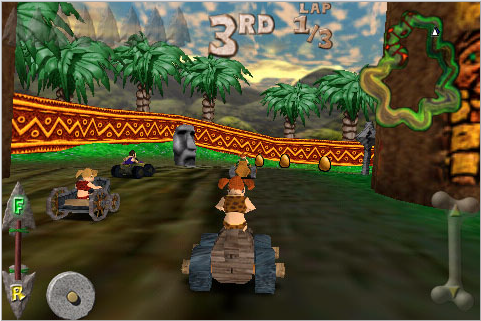
Today, Pangea’s games are on sale. Cro-Mag Rally is being sold for $1.99 when it was $9.99 a few days back. It has climbed to the Top 3 paid apps ranking. Prior to lowering the price you could see this kind of reviews:

Picture 1017.png


That is people, even liking the game, lower the rating due to price. After lowering the price, however, you can see this:

Picture 1018.png


The text of the review reads as follows: "A lot of early adopters paid $10 for an app that is now 80% less... a lame attempt by devs to drive up their sales rank. REALLY terrible way to treat customers. As for the game, it's not for me. But I wouldn't be complaining if they hadn't decided to treat early supporters like garbage. Thanks a lot, guys. You've cost yourself at least one future customer."

The dilemma is served. If you lower the price for your application, you will hopefully attract more people, but users who have purchased your application at the previous price will post negative comments about it, lowering your star rating.

The issue derived out of this is that many developers are opting for creating simple, nice looking, low-price apps. This lowers the risk of developers and provides higher probability of success. But, how many of these apps will get maintained once the initial 30-45 days are over and sales have gone down dramatically?

So, right price handling is very complex. It will influence your sales, charts, ratings and comments, and, the product itself, in the medium term.

Apple’s product placement


Most developers have no control over this factor. Big corporations, like EA, will obviously get some attention. But Apple will also promote products from other developers. We were lucky enough to be among this group for the App Store launch. Sketches was highlighted in several countries. And today you can go into Apple’s physical stores in the US and see the Sketches icon (Top line, 3rd from the right):


It was Apple, though, who decided to promote Sketches. We, of course, provided all the material and information they required. But it was Apple contacting us, not the other way around. Thus, there is little a developer can do, apart from creating a great product and get some visibility, then hope for Apple to like the product.

Product Position


The position your app has in the charts can only be managed by 2 factors: price, as discussed before, and updates. Price will influence the sales chart. Updates will allow for your application to be shown sooner in the category it belongs to.

Ideally, updating often would allow for your application to be listed before other apps in the category, making you sell more. Unfortunately, updating in the App Store is not fast. What's more important, the developer has no way to know how much time it will take for an update to be approved, possibly affecting your options to create marketing and advertising campaigns. Sketches 1.3 has been in review for more than a month now. In terms of positioning, we are totally lost towards the end of the Entertainment category. In addition, Apple discourages frequent updates, unless they fix severe bugs.


Star Rating


The App Store has no barriers for comments. As anyone can post an opinion on your application, developers are out of control on this. The good thing is that nice apps, will attract nice users, who will post nice reviews. On the other side, depending on different factors, mostly unrelated to the product itself, your app will also attract some unhappy users that will punish your every move.

Currently the global rating is built as the arithmetic mean of all votes. A destructive, even unreasonable rating will count as much as a well thought out review of your application. It would be nice if individual ratings were weighed by the "helpfulness" factor, indicating how many other people thought the review was relevant for them.

Marketing outside the App Store


There is some marketing that can be done outside the App Store. Blogging, news and press releases do help. We have even joined other developers in creating AppStoreGems. However, given the margin per sale, it is hard to buy advertising and get a profit out of it. Given that developers get 70% of each sale, acquisition costs for a $4.99 app have to be below $3.5. That quantity of money will buy you a few guaranteed clicks, but I am not sure if the sales will cover the cost.


Other popular marketing tools that are well proven in the Mac shareware business are also not possible in the App Store. Daily offers like MacZot or MacUpdate promo, hugely successful bundles such as MacHeist, discounts or even cross-product sales (buy AppZapper and get a discount on Disco, iClip or Picturesque) cannot be achieved today.

Trends


Even though the App Store is only two months old, the way it has been working so far seems to signal towards two very different app trends, if the mechanisms keep being the same.

+ On one hand, blockbuster productions from established companies will be hits in the App Store. Given the enormous value of the precious few "Top App" spaces, competition will become more and more fierce (more so as the number of iPhones sold increases), and I expect big companies investing considerable amounts of money to release new titles and get one of the spots. This is basically games from big studios we are talking about.

+ In the short term, we will be seeing more "disposable" apps: short-lived apps that can be crafted in a short time and that explore a good, original or fun idea. These apps will be offered at $0.99 with the expectation to hit the list and make a profit for a few days. After the app is out of the list, it will be basically forgotten since the operation costs (support, improvements) will not be justified by the very low vegetative revenue. The trick to succeed in this space is to launch many apps and expect that one out of 10 will make it. The success ratio will lower as time goes by and game studios take the top places.

This prospect basically leaves out the space for small but carefully crafted apps with a long time-span, such as those from indie shops we are so familiar about in the Mac shareware market. Creating a good app is hard, even for the iPhone, and sustaining it takes a lot of work. In the case we know best, we started working in Sketches in August 2007. Of course it was not a full time job then, but it was a necessary training that allowed us to create the app we wanted to, and to do it in such a nice way that Apple decided to feature it at App Store launch. Today we keep working on it, adding improvements, answering to emails from our existing customers and planning the next major release.

There is a catch in our previous statement: those are the trends _if_ the status quo is not changed and things keep being the same. Our bet is that the App Store will evolve, simply because customers will demand apps other than big games or little smart toys. When we decided to put effort in Sketches, it was a bet that someday we could even sell it, and now we have something as revolutionary as the App Store. Likewise, we still believe that there will be a place for companies like ours in the future.

Reality


Today, Trism is ranked as the application number 499 in popularity, 63 in the paid apps rankings, as per the information medialets provides. I am betting though, that it has gone up during the last few days after the article was published and made popular in digg. Thus, as anticipated in the introduction, it is becoming subject to the App Store "Top Apps" dynamics and it will be hard for its author to keep the past sales level.

So, if anyone wants to become a millionaire on the App Store, think again. I am not saying it is impossible, but it is not as easy as some people have put it.

Monday, August 25, 2008

Sketches Update and AppStoreGems.com

This week is looking great. We uploaded Sketches 1.3 to the App Store last Tuesday, so, we are hoping to see it in the App Store very soon. This new version includes:

+ Text input using the virtual on-screen keyboard, for those situations when that option is more adequate than entering hand-drawn text. This is possibly the most frequently requested feature from our current customers.

+ Web Sharing via a built-in web server. A very tiny and efficient HTTP server has been integrated to facilitate exporting the drawings in PDF, PNG or JPEG format. Users simply use their browser to connect and download their drawings, and they don't need to install desktop synchronization software or use other intricate solutions.

+ Improved shape placement algorithm. The shape placement algorithm is now tolerant to the user accidentally taking one of his fingers out of the tactile area during a multitouch gesture. This was a frequent issue when trying to locate a shape near the edges of the screen. In this new version, users can even purposely lift one of their fingers to easily move the shape to a corner or even halfway out of the screen.

+ Tip system. Small "hints" are displayed the first time the user selects a new feature or tool. This will solve the problem of some users that found themselves in full-screen mode and did not know how they got into it or how to bring the toolbars back! These help topics are presented as nice subtle overlays that dismisses after a certain amount of time to not interfere with your work.

+ Additional shapes, featuring a brand new "Office" category with pushpins, sticky notes, tape paper and the like. Fun and Callout categories have been improved as well.


In addition, several bugs have been corrected and several optimizations have been made.

But this week, we are also starting with a new idea: App Store Gems. We are joining forces with other developers that have created quality applications, in an effort to stand out from the already pretty crowded App Store. Promoted by John Casasanta and Austin Sarner, it includes 5 other applications apart from Sketches: File Magnet, Where To?, Pennies, Kineo and Groceries.

Today, in its first day, we are all donating our application revenues to a charity. In our case, Prevent Cancer Foundation.

To promote this new effort, we are making cooperative advertising, as explained in this post. It would be great if you help us digg it. Many thanks!

Wednesday, July 23, 2008

Text, Sketches, Soon!

We have received a good number of requests about adding text to Sketches. We are working on it, here is a sample:


It will take a some more days to get all the details finished and done correctly, but we are getting there!

Thursday, July 10, 2008

Sketches Available on the App Store!

We are extremely excited to announce that Sketches is now available on the App Store, and is highlighted in several countries:


We want to thank everyone who has supported us in this process: Apple, our users, our friends, and particularly, our families.

Sketches Web site is now back. Any comments or suggestions can be posted through the contact form.

Friday, July 04, 2008

LateNiteSoft Acquires Snapshot

As a consequence of our last visit to San Francisco for WWDC, we are happy to announce that we have acquired Snapshot from Stunt Software. We sat down with Dan Messing and reached an agreement that we have now made operational.


We are excited about this opportunity. We believe Snapshot is a nice product that makes a great addition to our portfolio, and that will become a nice complement for Sketches in the future.

To all current Snapshot customers, welcome! We'll try to live up to your expectations.

Saturday, June 21, 2008

WWDC 2008

If I had to summarize this year's WWDC in one word, it would be "Awesome". A year ago, we went to WWDC with no clear goals. We attended a lot of sessions, and met a few people. Overall, it was a good experience, in which we gained a lot of technical knowledge.

This year, it was different. Our primary goal was not to spend all of our time in sessions. We wanted to make our visit business oriented, meeting people, and getting feedback about different aspects of our applications.


After 2 years of working with him, we finally met Louie Mantia, our graphic designer. Currently, he works mostly for our friends at Tapulous, but, fortunately, he still does some work for LateNiteSoft.

DSC01642.JPG


We also met Chuck Soper, Cabel Sasser, Daniel Jalkut, Mike Lee, Kenichi Yoshida, Steve Scott, Tristan O'Tierney, Colin Wheeler, Kevin Hoctor, and some others in the SF Mac Indie Soiree.

During the week, we met with many Apple employees, as well as other entrepreneurs, developers, designers and journalists. We participated in a few labs and different consultancy sessions. We were present at the parties and events, but overall we probably did not make it to more than 5-6 sessions each.

The overall result has been very good, and we are very satisfied. Within the next few weeks we hope to start showing you the outcome of our visit.

Monday, April 21, 2008

Server Up :)

We are glad to inform you that the issues with our Web server have been fixed, and it is back online. We are sorry for any inconveniences caused.